
Bitwarden Password Manager APK
An open source password manager that syncs an encrypted vault across all your devices.
com.x8bit.bitwarden
✓ 100% Verified Official Source. Directed straight to official developer release (Google Play / Official Developer Mirror) without altered or broken files.
- Developer
- Bitwarden Inc.
- Current version
- 2024.9.0
- File size
- 40.1 MB
- Requires Android
- 7.0 or later
- Version updated
- 10 August 2026
- Category
- Security
- Price
- Free, with paid options
- License
- Free with optional Premium plan; open source
- Ads
- No ads
- Package name
com.x8bit.bitwarden- User rating
- Official website
- bitwarden.com
Bitwarden Password Manager Screenshots
How to Download & Install Bitwarden Password Manager APK
Need help setting up Bitwarden Password Manager? Follow our detailed installation guide covering unknown source permissions, file hash verification (com.x8bit.bitwarden), and fixes for common Android errors.
What Bitwarden Password Manager does
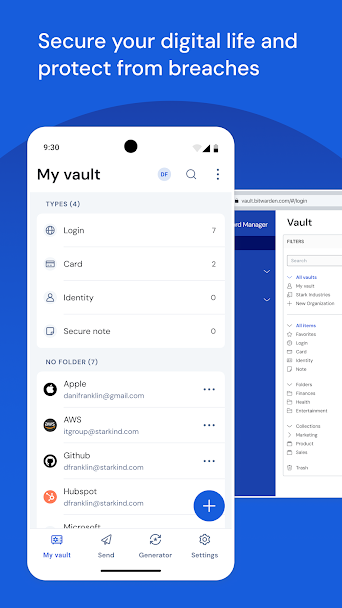
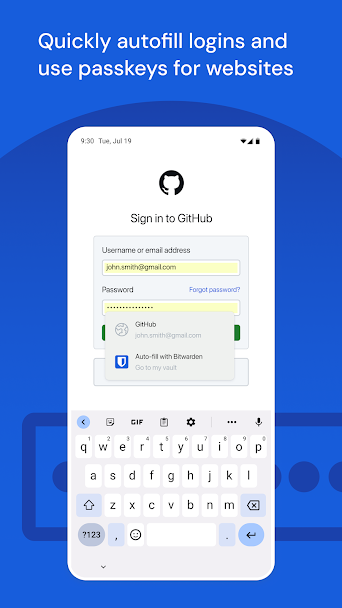
Bitwarden stores your passwords in an encrypted vault and fills them into apps and websites through Android's autofill service.
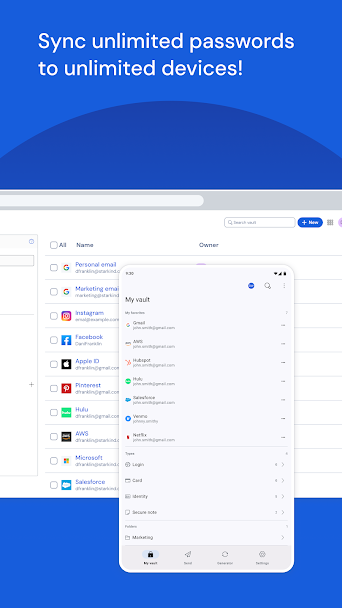
The free plan has no limit on the number of passwords or devices, which is less common than it should be. A paid Premium plan adds extras such as built-in two-factor codes, file attachments and vault health reports.
Your vault is encrypted on your device before it is uploaded, so Bitwarden's servers only hold encrypted data. The code is public, and the company publishes third-party audit reports. People who want full control can run their own Bitwarden-compatible server.
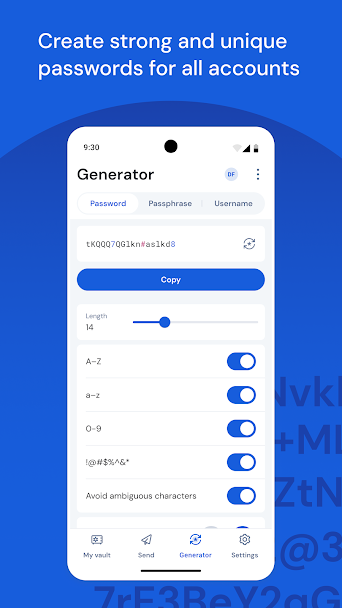
Opening the vault with your fingerprint or face is supported after the first sign-in with your master password. You can also generate random passwords directly in the app.
Who it's for
Anyone still reusing passwords, and people who want one password manager across Android, iPhone, Windows and browsers.
Main features
- Unlimited passwords and devices on the free plan
- Android autofill for apps and browsers
- Password generator
- Fingerprint and face recognition
- Option to self-host the server
Pros and cons
Pros
- Free plan has no device limit
- Open source with published audits
- Available on almost every system
Cons
- Interface is plain
- Autofill depends on how each app labels its login fields
Compatibility and download information
Bitwarden Password Manager needs Android 7.0 or later. The current version we've recorded is 2024.9.0, released 10 August 2026. Offline use: vault is available offline after first sync.
An APK is hosted here with the developer's permission. See the Bitwarden Password Manager APK download details for file size, SHA-256 hash and check results.
Permissions and privacy
- Network access to sync encrypted vault with server
- Autofill service to fill logins into apps and browsers
- Biometric hardware to open vault with fingerprint
- Camera (optional) to scan two-factor QR setup codes
- Post notifications for vault timeout alerts
Source: Verified from Bitwarden open source mobile repository.
Vault data is encrypted on the device before sync, according to Bitwarden's security documentation.
Read the Bitwarden Inc. privacy policy.
User reviews
No published reviews yet.
Version history
We have records for 3 versions. The latest recorded is 2024.9.0.
Similar apps
-
 Download
1.1.1.1 Cloudflare
·18.4 MB -
 Download
1Password - Password Manager
·62.0 MB -
 Download
AdGuard
·16.2 MB -
 Download
Bitdefender Mobile Security
·35.1 MB -
 Download
Blokada
·55.3 MB -
 Download
CyberGhost
·51.7 MB
Related guides
- How to Download & Install Bitwarden Password Manager APK on Android (Complete Setup & Strategy Guide)
- How to Download & Install Yu-Gi-Oh Duel Links APK on Android (Complete Setup & Strategy Guide)
- How to Download & Install PhotoRoom APK on Android (Complete Setup & Strategy Guide)
- How to Download & Install JazzCash APK on Android (Complete Setup & Strategy Guide)