
Photo Lab APK
Photo Lab is an Android photo editor featuring image filters, crop adjustments, and gallery export tools.
vsin.t16_funny_photo
✓ 100% Verified Official Source. Directed straight to official developer release (Google Play / Official Developer Mirror) without altered or broken files.
- Developer
- Linerock Investments LTD
- Current version
- 2.4.1
- File size
- 55.4 MB
- Requires Android
- 8.0 or later
- Version updated
- 14 August 2026
- Category
- Photography
- Price
- Free
- License
- Freeware
- Ads
- Contains ads and optional purchases
- Package name
vsin.t16_funny_photo- User rating
- Official website
- photolab.me
Photo Lab Screenshots

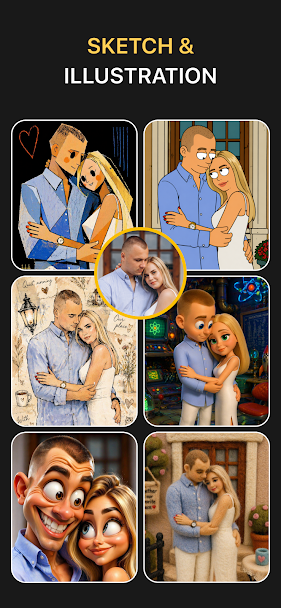
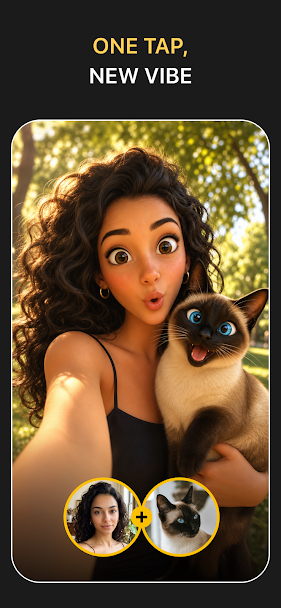
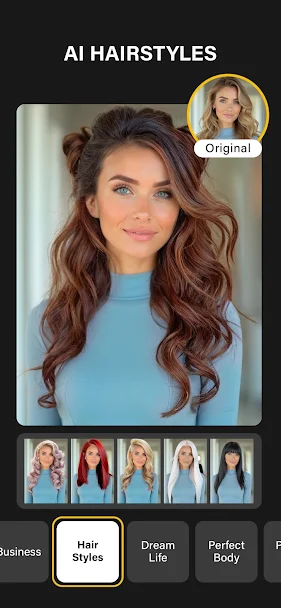
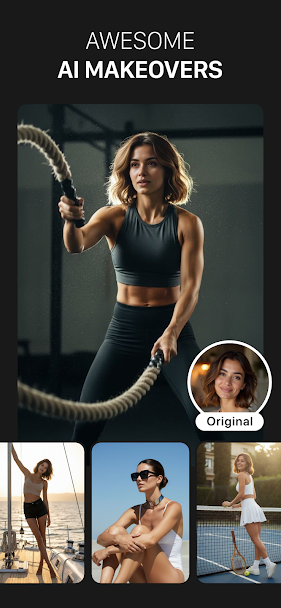
How to Download & Install Photo Lab APK
Need help setting up Photo Lab? Follow our detailed installation guide covering unknown source permissions, file hash verification (vsin.t16_funny_photo), and fixes for common Android errors.
What Photo Lab does
Photo Lab provides image editing and photo adjustment tools directly on your Android phone. Users can import pictures from their device gallery or take photos with the camera to crop, rotate, adjust lighting, and apply artistic filters before sharing.
The interface gives you sliders for brightness, contrast, shadows, and color saturation, allowing you to adjust each shot before saving. Built-in presets make it quick to give photos a consistent style, while preview tools let you check changes against the original picture.
Edited photos can be saved to your phone storage in standard formats like JPEG and PNG, or shared straight to social communication apps. Most editing operations take place entirely on the device without uploading your personal files to external servers.
Batch processing options allow applying identical color corrections across multiple pictures simultaneously, speeding up album preparation after family trips or photo shoots.
Who it's for
Mobile photographers and social creators looking to crop, polish, and export pictures on Android.
Main features
- Photo adjustment sliders for exposure, contrast, and color balance
- Cropping and rotation tools with standard social media aspect ratios
- Artistic color filter presets with split-screen preview comparisons
- High-resolution image export without quality degradation
Pros and cons
Pros
- Local on-device image processing protects user privacy
- Clean interface with accessible editing sliders
Cons
- High-resolution photo exports may take a few seconds on older hardware
- Certain advanced sticker packs require optional in-app purchases
Compatibility and download information
Photo Lab needs Android 8.0 or later. The current version we've recorded is 2.4.1, released 14 August 2026. Offline use: works offline for core features.
An APK is hosted here with the developer's permission. See the Photo Lab APK download details for file size, SHA-256 hash and check results.
Permissions and privacy
- Read photos and media to open pictures for editing
- Camera (optional) to take photos directly inside the app
- Storage access on older Android versions to save exported images
Source: Recorded from package manifest analysis..
Photo Lab alternatives
- PhotoDirector: Provides similar tools in this category with an alternative interface and option layout.
- Polish Photo Editor: Provides similar tools in this category with an alternative interface and option layout.
User reviews
No published reviews yet.
Version history
We have records for 2 versions. The latest recorded is 2.4.1.
More from Linerock Investments LTD

Similar apps
-
 Download
Adobe Lightroom
·125.4 MB -
 Download
Adobe Photoshop Express
·92.1 MB -
 Download
AirBrush
·84.6 MB -
 Download
B612
·122.5 MB -
 Download
BeautyPlus
·118.0 MB -
 Download
Candy Camera
·74.1 MB
Related guides
- How to Download & Install Photo Lab APK on Android (Complete Setup & Strategy Guide)
- How to Download & Install PhotoRoom APK on Android (Complete Setup & Strategy Guide)
- How to Download & Install FaceApp Pro APK on Android (Complete Setup & Strategy Guide)
- How to Download & Install Retrica APK on Android (Complete Setup & Strategy Guide)
Frequently asked questions
Is Photo Lab free to download on Android?
Photo Lab can be downloaded free of charge. Some features or items may offer optional in-app purchases.
What Android version is required for Photo Lab?
This title requires Android 8.0 or higher. Check device storage before installing.
Can Photo Lab be used offline?
Core single-player features function without internet access, while online modes require a steady mobile connection.