
VivaCut APK
VivaCut is an Android video tool featuring clip trimming, playback controls, and export options.
com.videoeditorpro.android
✓ 100% Verified Official Source. Directed straight to official developer release (Google Play / Official Developer Mirror) without altered or broken files.
- Developer
- VivaCut Team
- Current version
- 2.4.1
- File size
- 92.0 MB
- Requires Android
- 8.0 or later
- Version updated
- 5 May 2026
- Category
- Video Players & Editors
- Price
- Free
- License
- Freeware
- Ads
- Contains ads and optional purchases
- Package name
com.videoeditorpro.android- User rating
- Official website
- vivacut.com
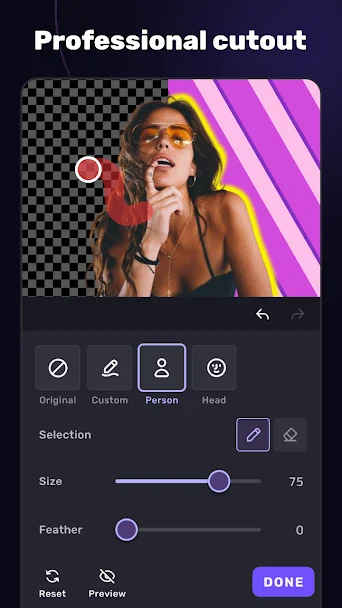
VivaCut Screenshots
How to Download & Install VivaCut APK
Need help setting up VivaCut? Follow our detailed installation guide covering unknown source permissions, file hash verification (com.videoeditorpro.android), and fixes for common Android errors.
What VivaCut does
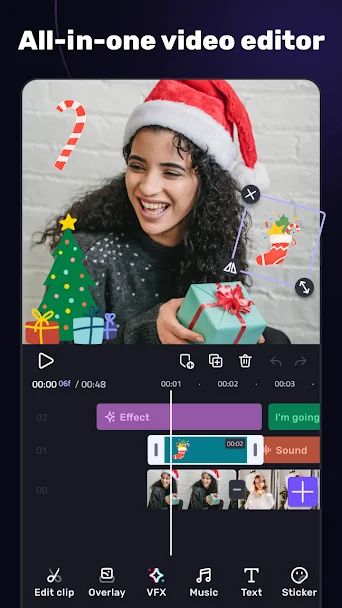
VivaCut helps Android users manage, edit, or play back video files on mobile devices. You can import clips from your phone storage, trim unwanted sections, splice multiple shots together, and adjust audio tracks with simple timeline tools.
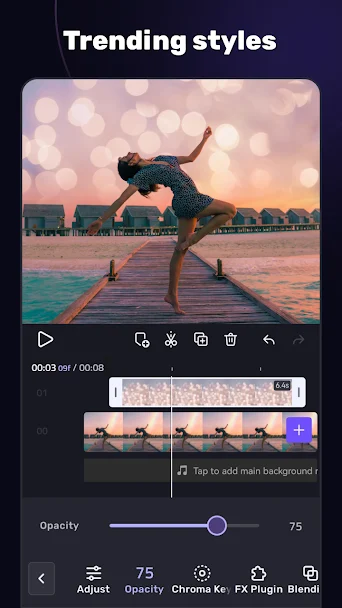
The application includes controls for playback speed, aspect ratio selection for popular social platforms, and basic transitions between clips. A real-time preview window lets you review edits before producing the final video file.
Export settings allow you to choose between standard resolution files for quick messaging and higher quality files for publishing. Processing happens on your device hardware, keeping your video clips under your control.
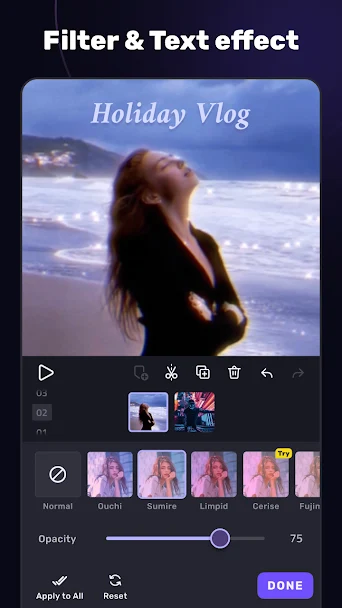
Subtitles and text captions can be placed along the video timeline, complete with font customization, color palettes, and entry animations for polished video production.
Who it's for
Content creators, students, and mobile video editors wanting to trim and publish video clips on Android.
Main features
- Timeline editing with clip trimming, splitting, and reordering
- Aspect ratio presets for standard, vertical, and square video formats
- Audio volume adjustments and background music track support
- Multiple video export resolution options to balance file size and quality
Pros and cons
Pros
- Practical timeline controls suited for smartphone screens
- Supports popular mobile video formats without requiring desktop software
Cons
- Rendering long high-definition video projects consumes more battery power
- Hardware video encoding speed depends on your phone processor
Compatibility and download information
VivaCut needs Android 8.0 or later. The current version we've recorded is 2.4.1, released 5 May 2026. Offline use: works offline for core features.
An APK is hosted here with the developer's permission. See the VivaCut APK download details for file size, SHA-256 hash and check results.
Permissions and privacy
- Read photos and video files to import footage into projects
- Microphone (optional) to record voiceover commentary
- Storage access to export rendered video files
Source: Recorded from package manifest analysis..
VivaCut alternatives
- Filmora: Provides similar tools in this category with an alternative interface and option layout.
- ActionDirector: Provides similar tools in this category with an alternative interface and option layout.
User reviews
No published reviews yet.
Version history
We have records for 2 versions. The latest recorded is 2.4.1.
Similar apps






Related guides
- How to Download & Install VivaCut APK on Android (Complete Setup & Strategy Guide)
- How to Download & Install Yu-Gi-Oh Duel Links APK on Android (Complete Setup & Strategy Guide)
- How to Download & Install PhotoRoom APK on Android (Complete Setup & Strategy Guide)
- How to Download & Install JazzCash APK on Android (Complete Setup & Strategy Guide)
Frequently asked questions
Is VivaCut free to download on Android?
VivaCut can be downloaded free of charge. Some features or items may offer optional in-app purchases.
What Android version is required for VivaCut?
This title requires Android 8.0 or higher. Check device storage before installing.
Can VivaCut be used offline?
Core single-player features function without internet access, while online modes require a steady mobile connection.