VLC for Android APK
A free, open source media player that handles nearly any video or audio file you throw at it.
org.videolan.vlc
✓ 100% Verified Official Source. Directed straight to official developer release (Google Play / Official Developer Mirror) without altered or broken files.
- Developer
- VideoLAN
- Current version
- 3.5.4
- File size
- 36.7 MB
- Requires Android
- 4.2 or later
- Version updated
- 30 August 2026
- Category
- Video Players & Editors
- Price
- Free
- License
- Free, open source (GPL-2.0 or later)
- Ads
- No ads
- Package name
org.videolan.vlc- User rating
- Official website
- videolan.org
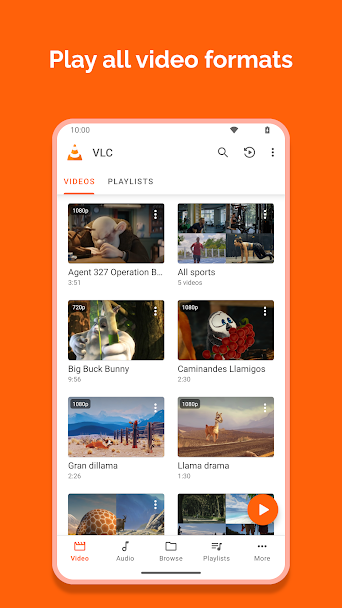
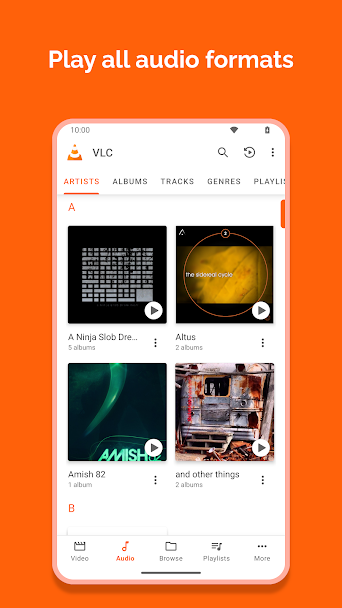
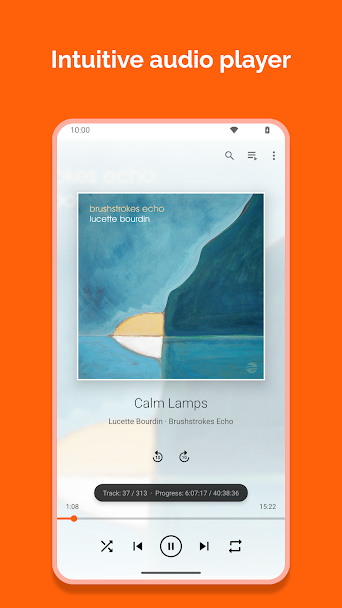
VLC for Android Screenshots
How to Download & Install VLC for Android APK
Need help setting up VLC for Android? Follow our detailed installation guide covering unknown source permissions, file hash verification (org.videolan.vlc), and fixes for common Android errors.
What VLC for Android does
VLC plays most video and audio formats without extra codec packs. MKV, MP4, AVI, FLAC, OGG and many more open directly, which is the main reason people install it.
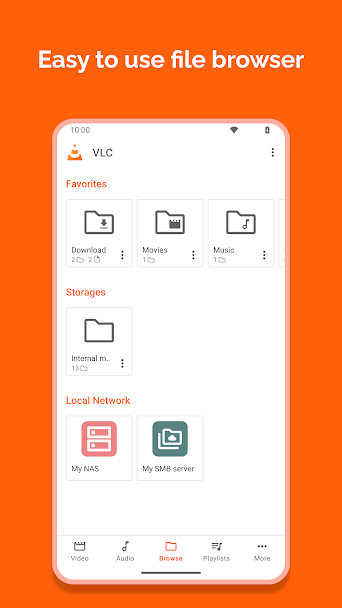
It reads subtitle files such as SRT and ASS and can download subtitles from inside the player. It can also play from network shares (SMB, FTP, UPnP) and from stream URLs, so you can watch files stored on a home computer or NAS without copying them to the phone.
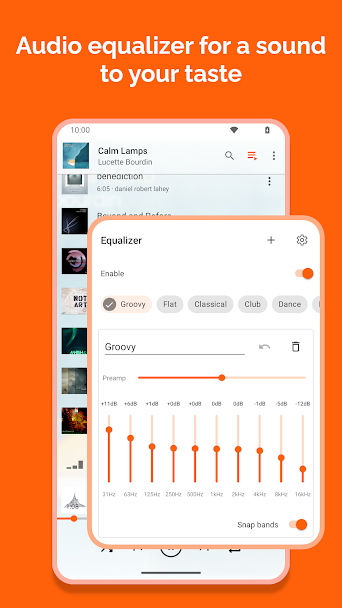
There's a separate audio library view, an equaliser, playback speed control, and picture-in-picture. VLC has no ads, no tracking and no paid tier. The interface is functional rather than pretty, and some settings menus are long.
Who it's for
Anyone with a collection of downloaded video or music files, and people who stream from a home server.
Main features
- Plays most video and audio formats with no extra codecs
- Subtitle support including SRT, ASS and online subtitle search
- Network playback from SMB, FTP, UPnP and stream URLs
- Audio equaliser and playback speed control
- Picture-in-picture and background audio
Pros and cons
Pros
- Wide format support
- No ads or in-app purchases
- Plays files from network shares
Cons
- Settings can be hard to find
- Library scanning can be slow on large collections
Compatibility and download information
VLC for Android needs Android 4.2 or later. The current version we've recorded is 3.5.4, released 30 August 2026. Offline use: works offline for local files.
An APK is hosted here with the developer's permission. See the VLC for Android APK download details for file size, SHA-256 hash and check results.
Permissions and privacy
- Read audio and video files to scan media libraries
- Network access to stream video and download subtitles
- Foreground service to keep audio playing in background
- Picture in picture to play video over other apps
- Audio settings to adjust volume and equalizer levels
Source: Verified from VideoLAN GitLab repository and official APK build.
Read the VideoLAN privacy policy.
VLC for Android alternatives
- CapCut: Provides similar tools in this category with an alternative interface and option layout.
- KineMaster: Provides similar tools in this category with an alternative interface and option layout.
User reviews
No published reviews yet.
Version history
We have records for 3 versions. The latest recorded is 3.5.4.
Similar apps
-
 Download
ActionDirector
·70.8 MB -
 Download
Alight Motion
·86.4 MB -
 Download
Cinema HD
·80.6 MB -
 Download
CyberFlix TV
·62.0 MB -
 Download
Filmora
·112.9 MB -
 Download
FilmPlus
·97.8 MB
Related guides
- How to Download & Install VLC for Android APK on Android (Complete Setup & Strategy Guide)
- How to Download & Install Yu-Gi-Oh Duel Links APK on Android (Complete Setup & Strategy Guide)
- How to Download & Install PhotoRoom APK on Android (Complete Setup & Strategy Guide)
- How to Download & Install JazzCash APK on Android (Complete Setup & Strategy Guide)